How to buy a course
To purchase a course
Register by going to shiftcreativecompany.com
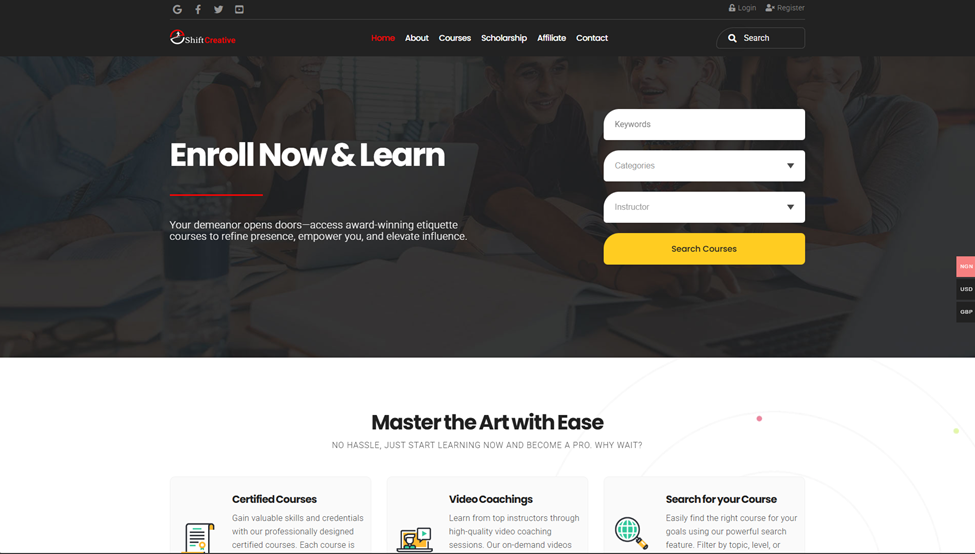
Click on Register
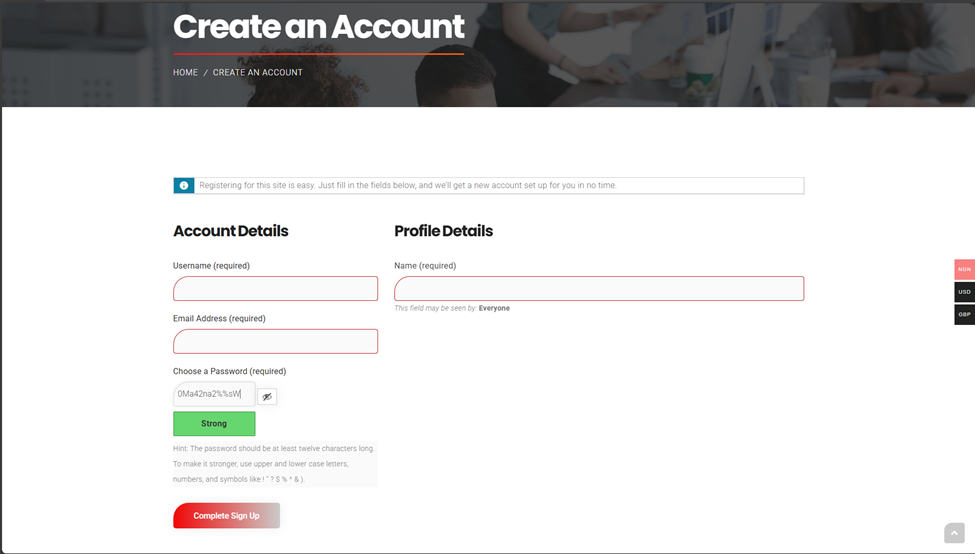
Kindly fill the necessary information and click on Complete Signup. You will receive and Activation email, kindly activate your account.
After Activation, kindly Login
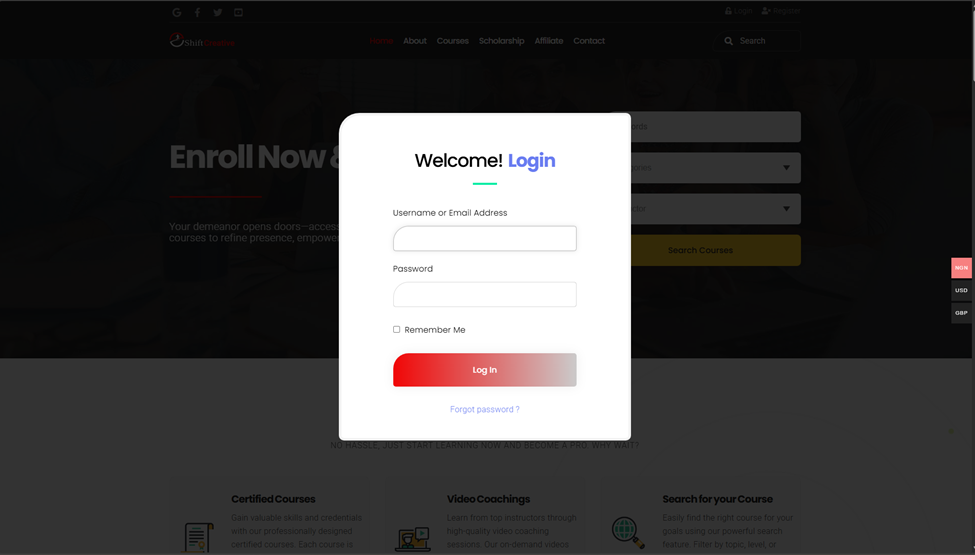
Once logged in
Click on Courses Menu
Select the course you want to by clicking on the name of the course

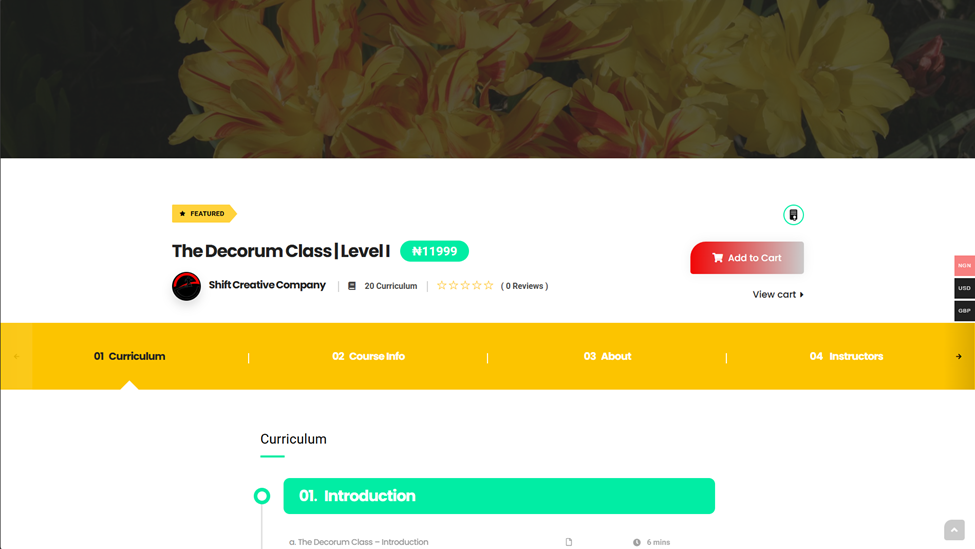
Click Add to Cart -> Click View Cart
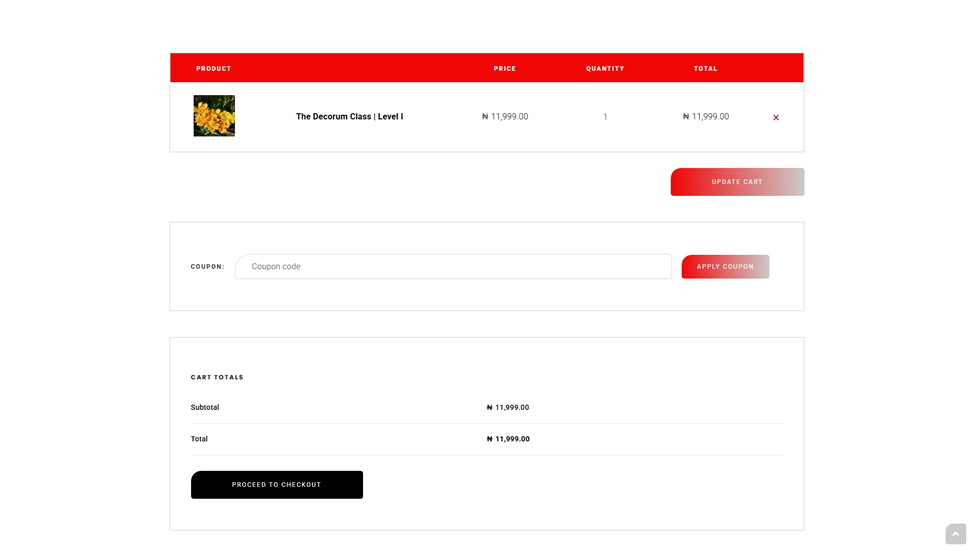
To make payment, Click on Proceed to Checkout
Fill the Billing the details and click on Place Order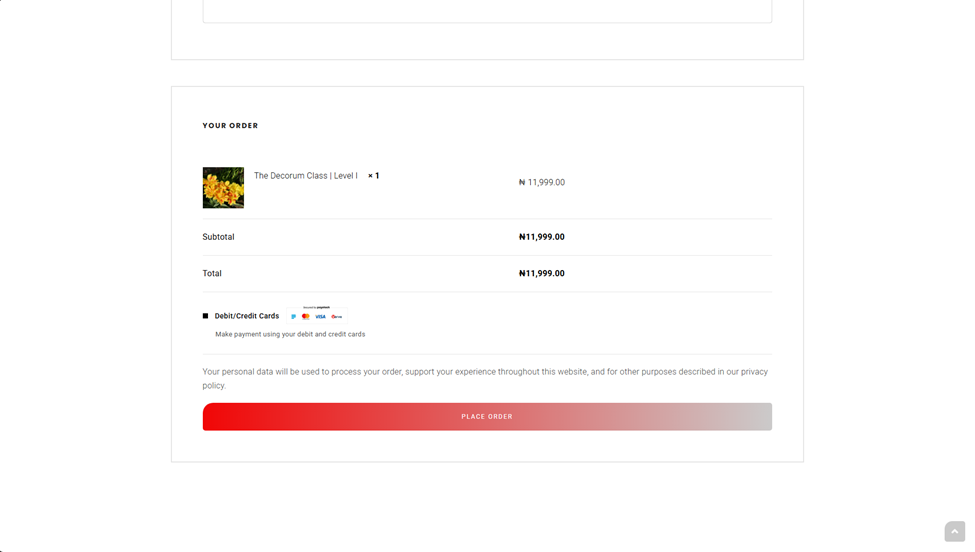
Select your payment Method and make payment
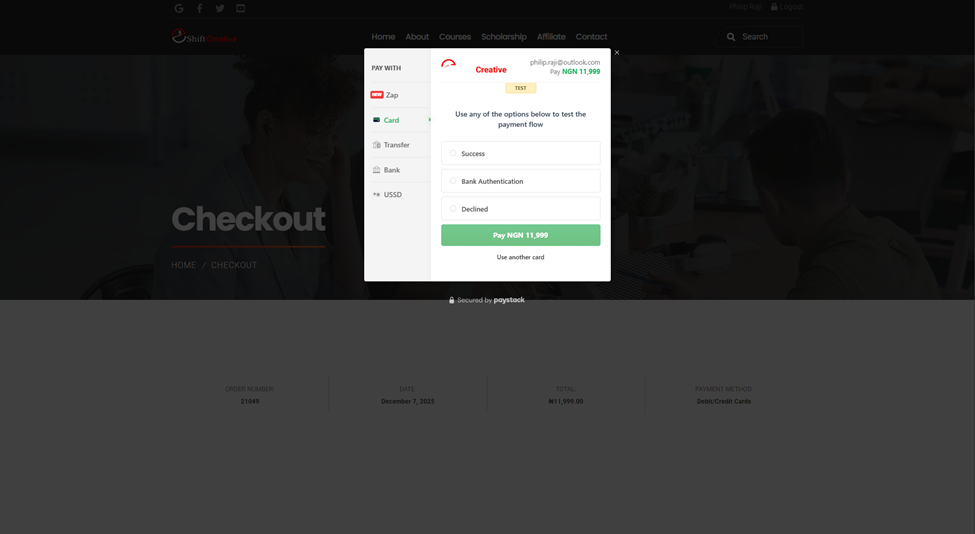
Once payment is made, Click on your Username at the top of the screen to go to Student Dashboard

Click On Courses -> Click on the course you have paid for

Click on Start Course
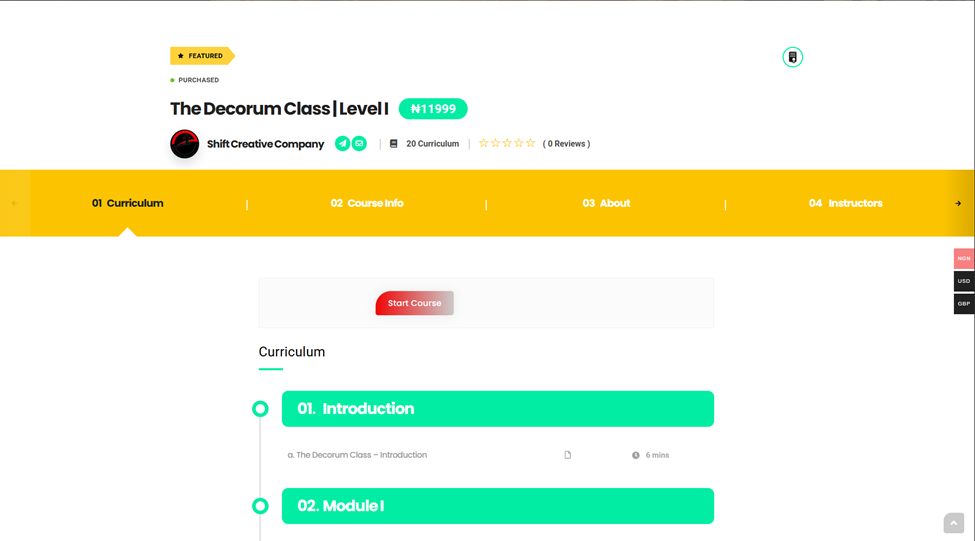
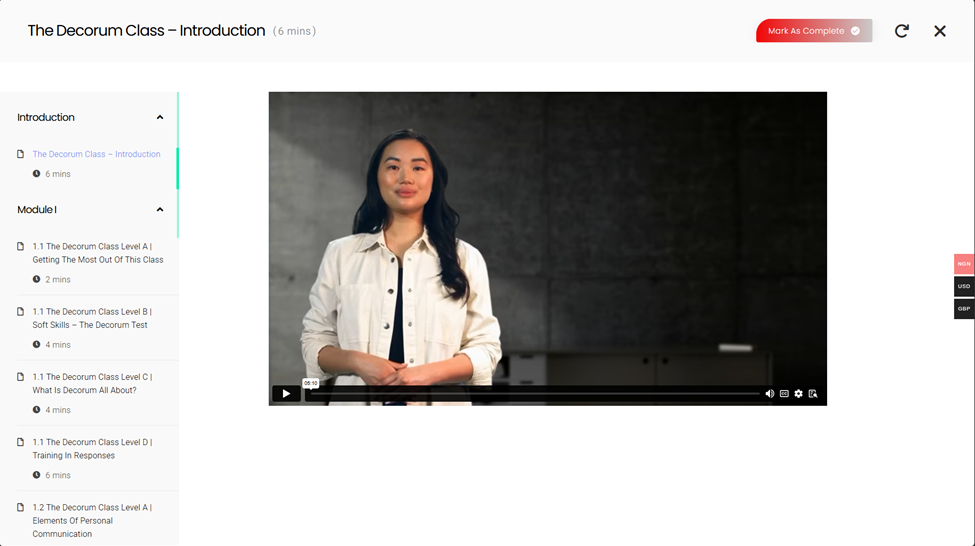
Scroll to the curriculum and click on the first video to start

How to Register and login as an affiliate
To register as an affiliate
Register by going to shiftcreativecompany.com
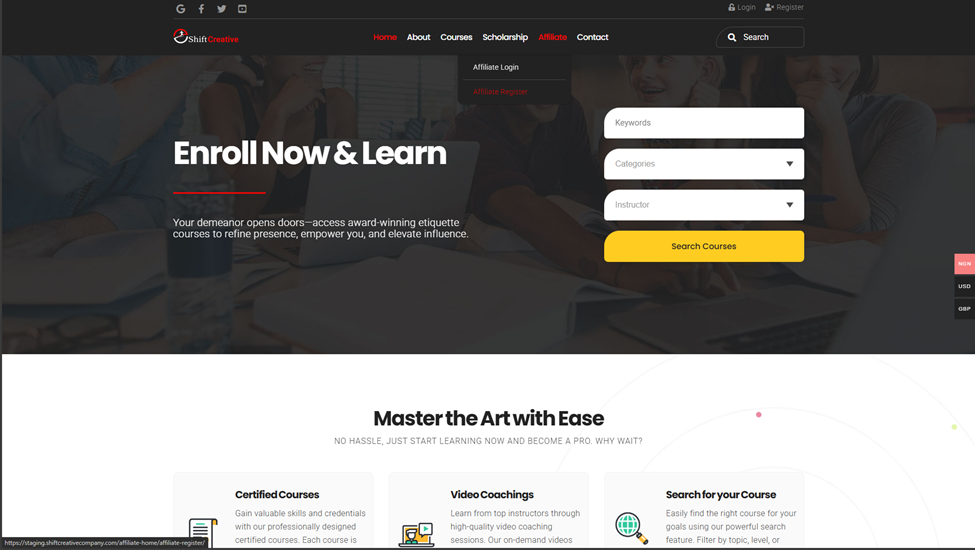
Click on the Affiliate Link -> Click on Affiliate Register
Fill in the details and click on Submit Application
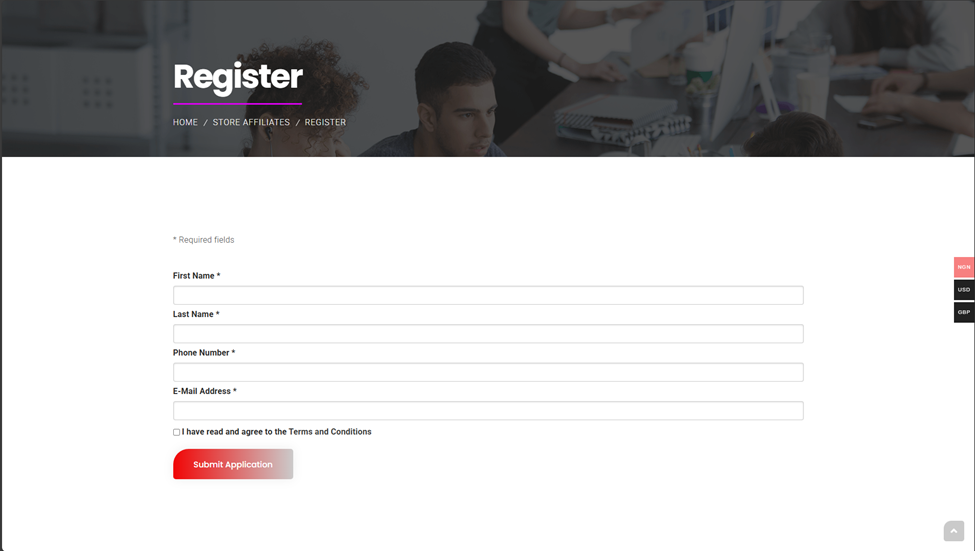
Once Registered, Login details will be sent toy your email
To Login, Click on the Affiliate Link -> Click on Affiliate Login
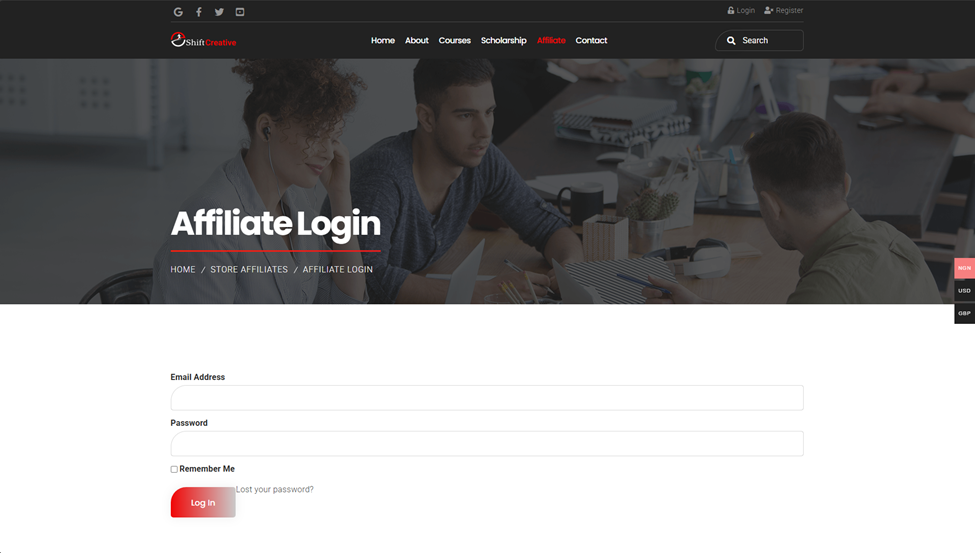
This takes you to the Affiliate dashboard
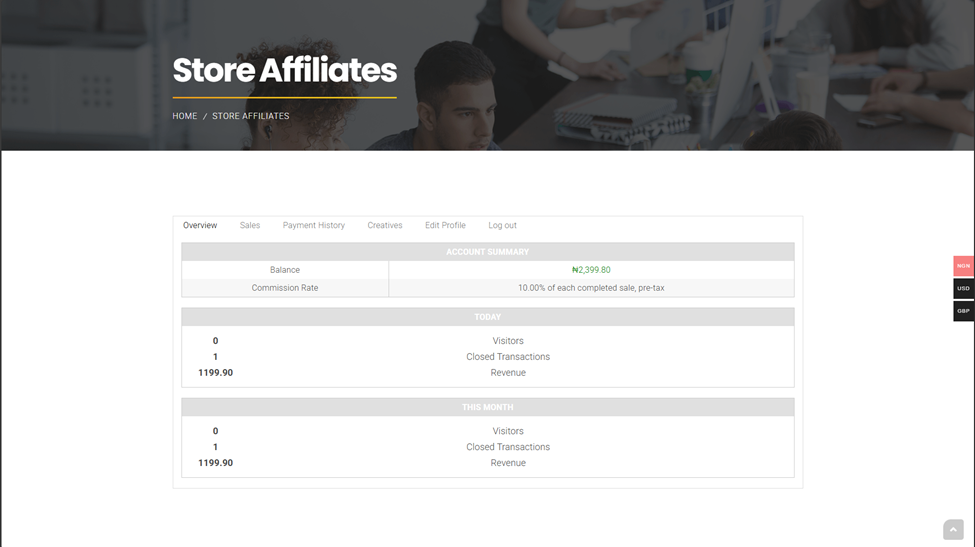
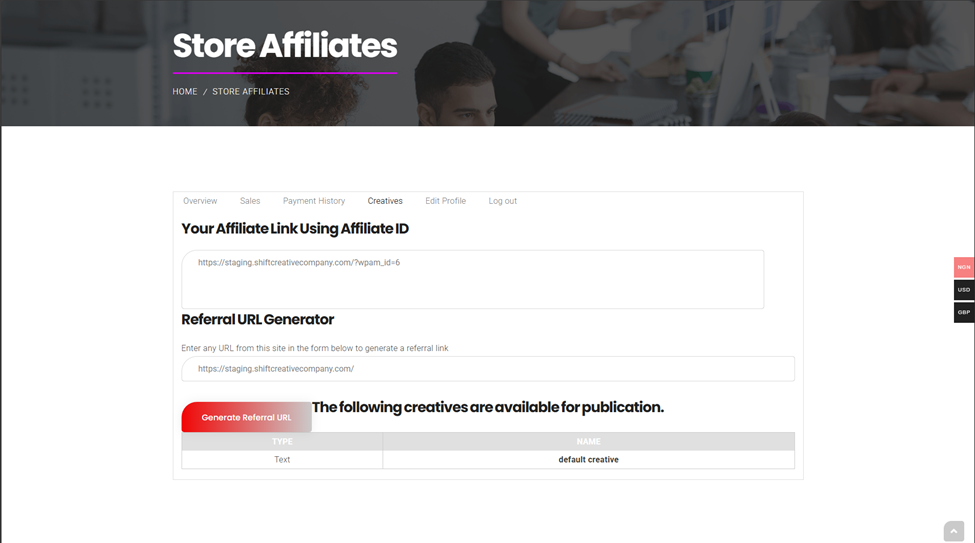
To view Affiliate/Create Affiliate Link to share
Click on Creatives